
Style picker redesign and better default styles
A redesigned style picker with browse tabs, a preview carousel, and improved default styles. Realistic, Design, and 3D looks now hold up on every model.
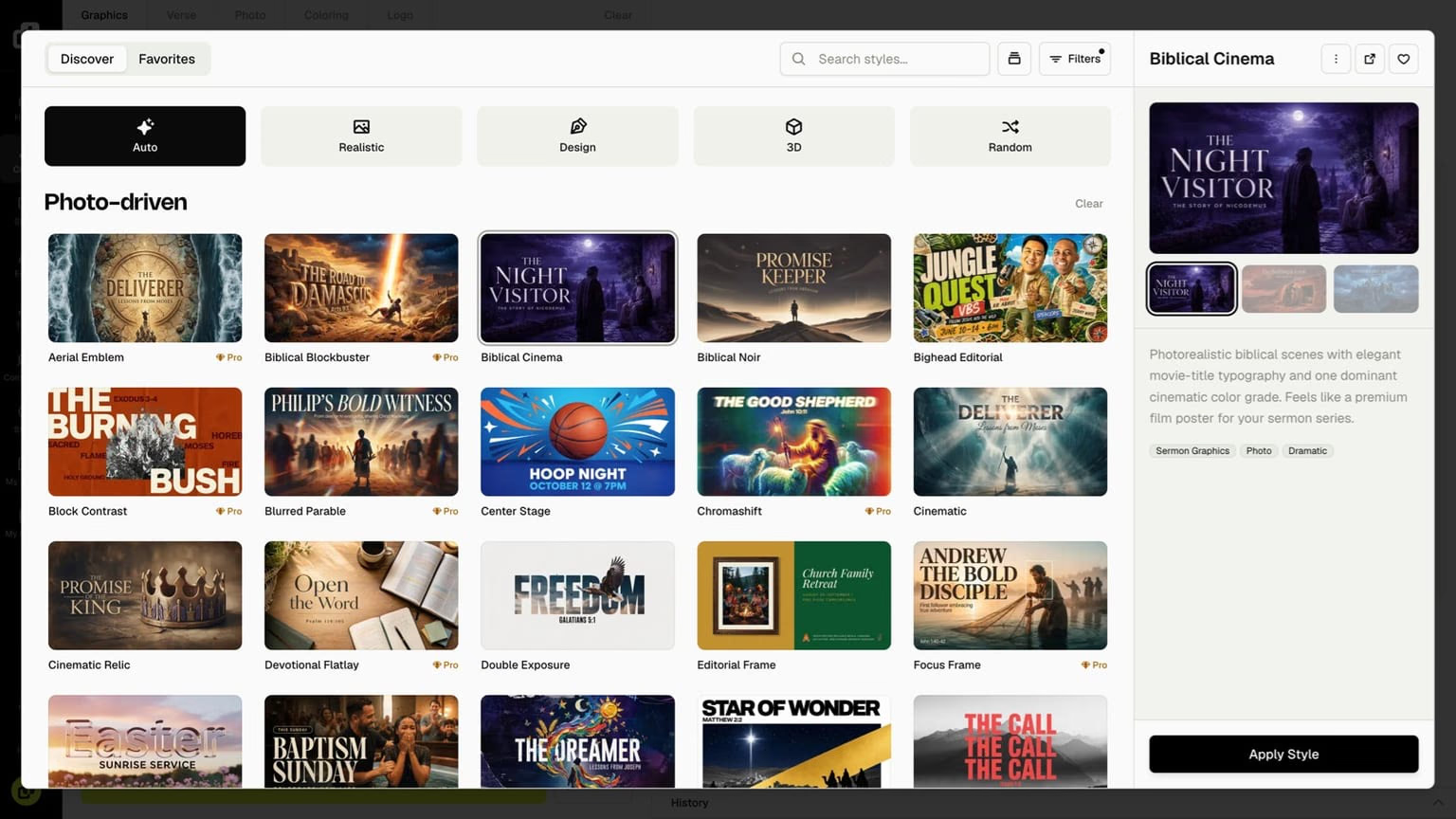
After the Style Browser and 50 new style presets, we kept working on styles. This update has two parts: a redesigned style picker in the generate flow, and better default styles that look stronger on every model.
Browse tabs and filters
Discover and Favorites tabs, plus quick filters like Realistic, Design, and 3D.
Preview carousel
Flip through several examples of a style before you commit a credit.
Better default styles
Realistic, Design, and 3D looks improved across every model, not just Pro.
Faster and smoother
The picker, gallery, and community grids open and scroll faster.
A redesigned style picker
Choosing a style while you generate should feel effortless. The picker now opens with Discover and Favorites tabs, quick filter chips for the kind of look you want, and larger tiles grouped by category so the right style is easier to spot.
Open a style and you get a preview carousel: several real examples of that look, not a single thumbnail. Skim the variations, read the description and tags, then hit Apply Style when you are ready.
Default styles look better on every model
The bigger story is the looks themselves. Our default styles, including Realistic, Design, and 3D, now produce noticeably stronger graphics, and not only on Pro models. The same prompt lands cleaner type, better composition, and a look that actually matches the style you picked.
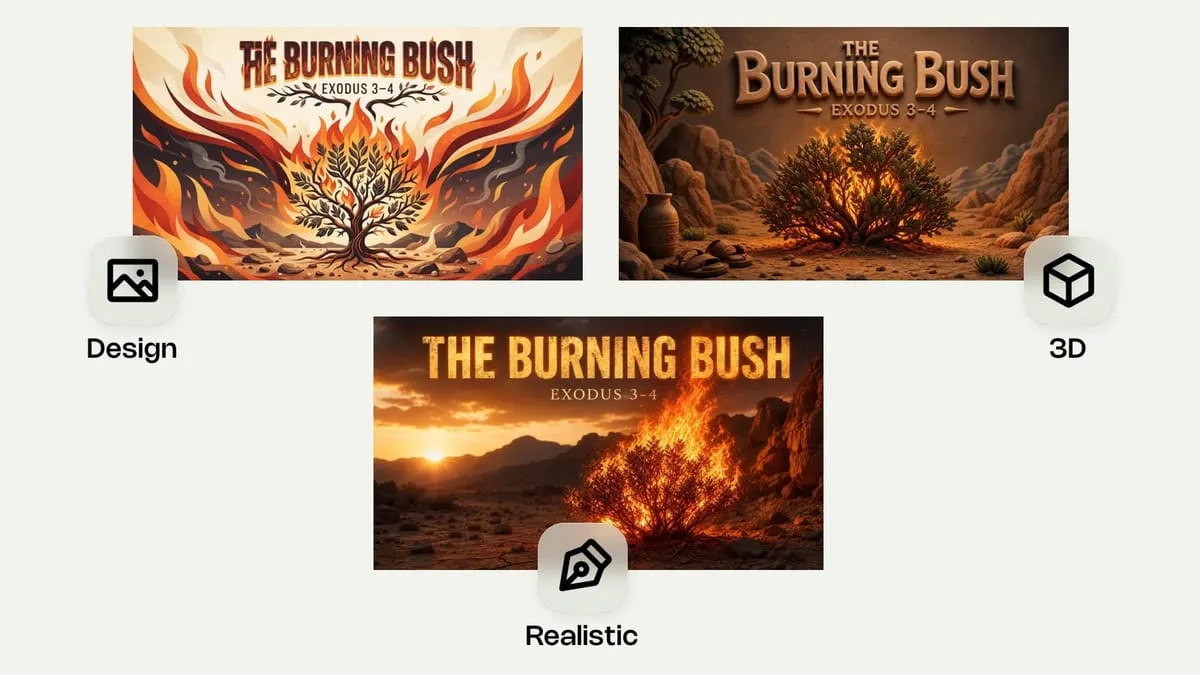
That means more of the everyday library is genuinely usable right away, whether you are on Nano Banana 2 Lite as a Basic or Plus default, or a Pro model for heavier work.
Even so, the best way to create with Church Canvas is still to start from a style preset. Pick the vibe, prompt your real sermon title, verse, or event, and let the style carry the design. Browse the full library any time in the Style Browser.
Also in this update
Smaller fixes that add up when you live in Church Canvas all week.
Improvements
- Gallery
Arrowing between images no longer flashes an empty prompt, and copy-prompt tooltips wait for a real hover.
- Community
Search and filters reset to the first page and match what you actually typed.
- Models
Generate and Tools now share one consistent model picker, so credits and model names line up.
- Mobile
The presets drawer uses the same compact tiles as the desktop picker.
Fixes
- Design variations
Variation chips show up more reliably after you generate and when you reopen from the gallery.
Performance
- Performance
Style, gallery, and community grids open faster and scroll more smoothly on long lists.
- Style picker
Browse Styles keeps proper spacing while you scroll through large libraries.
- Gallery
Gallery modals show the cached thumbnail first, then fade up to full detail when you open an image.
Try it
Open generate, click into the style picker, and filter by a look you use every week. Favorite a couple, flip through the preview carousel, apply one, and generate. New to the library? Start from the 50 new style presets drop, then come back for the smoother picker.
Style picker FAQ
What changed in the style picker?
The style picker in the generate flow now has Discover and Favorites tabs, filter chips for looks like Realistic, Design, and 3D, larger tiles, and a preview carousel so you can flip through several examples of a style before you apply it. The mobile presets drawer matches the same behavior.
What do you mean by better default styles?
Our default styles, including Realistic, Design, and 3D, now produce noticeably better graphics across every model, not just Pro models. You get stronger, more usable results from the everyday looks without switching engines.
Is this different from the Style Browser?
Yes. The Style Browser in the left panel is for exploring the whole library. The style picker is for choosing a look while you generate. This update improves the picker and the default looks themselves.
Do I need to do anything?
No. Refresh Church Canvas in your browser. The redesigned picker and improved default styles are live for everyone.