
🍌 Nano Banana 2 Lite is the default for Basic and Plus
Nano Banana 2 Lite is the default for Basic and Plus. Fewer text errors, reference images for church and logo, all styles supported. Free uses Ideogram v3.
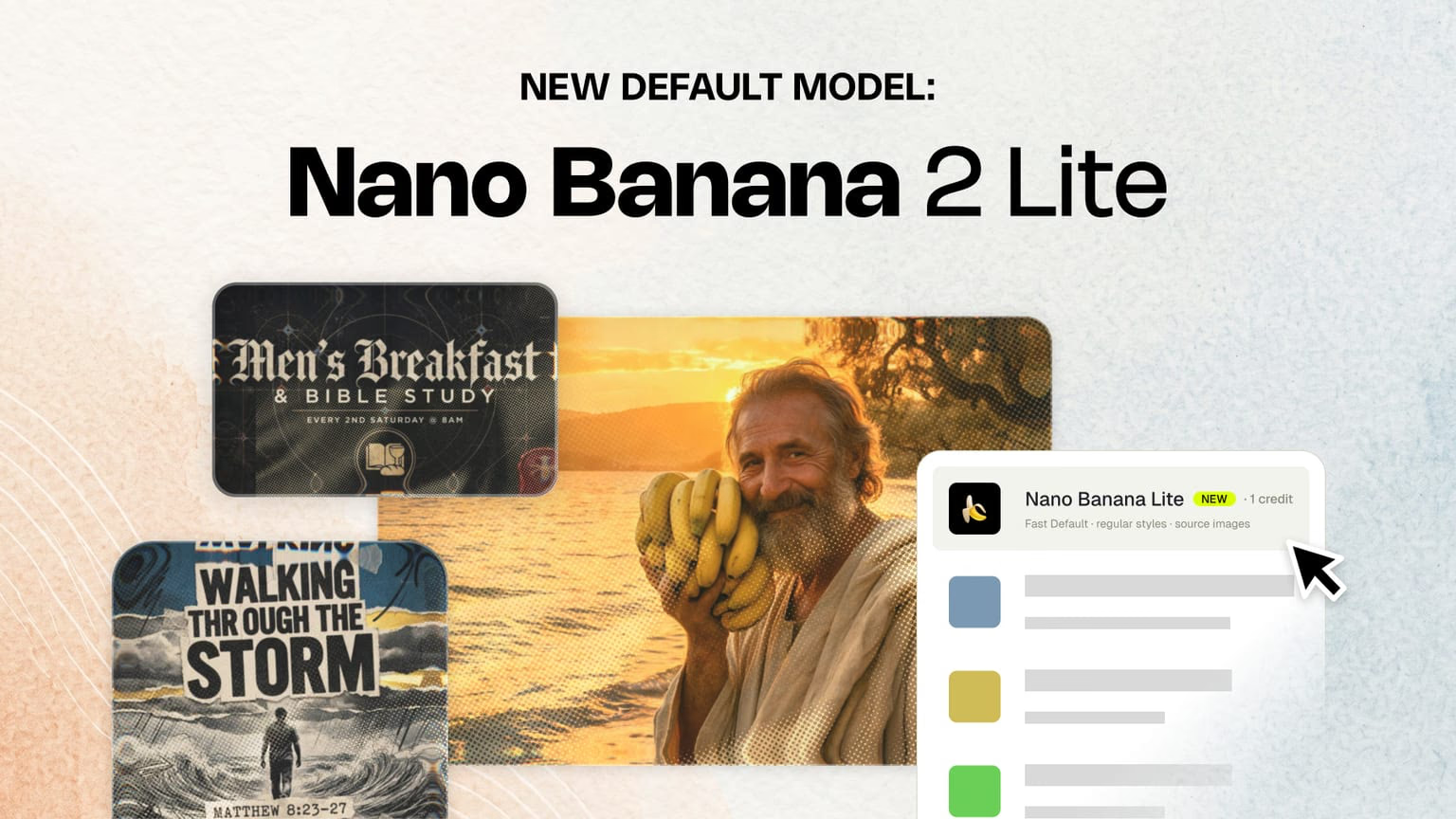
🍌 Nano Banana 2 Lite is now the default AI model for Basic and Plus users in Church Canvas. Free accounts stay on Ideogram v3. This is more than a new starting point in the model picker. It is a faster everyday foundation with fewer text surprises, reference images in your normal workflow, styles that actually stick, and the same default across sermon graphics, verse designs, and coloring pages.
Default for paid plans
Basic and Plus start on Lite. Free stays on Ideogram v3.
Fewer text errors
Less misspelled copy and unusable layouts, our top support and NPS theme.
Reference images
Use your church, campus, pastor photo, or logo in everyday generations.
All styles supported
Default and Pro styles work on Lite. Pro models still shine on Pro styles.
Verse and coloring pages
Lite is also the default for verse graphics and kids coloring pages in Tools.
1 credit
Everyday generation at one credit so paid teams can keep exploring looks.
You will see it selected first, with a NEW badge and the note fast default · regular styles · source images. One credit per generation.
Default for Basic and Plus
Every paid plan now opens on Nano Banana 2 Lite. Basic and Plus teams get the same fast default, reference images, and style library in the weekly workflow. Free accounts remain on Ideogram v3 until you upgrade.
Plus subscribers can still switch to Nano Banana Pro, GPT Image 2, Krea 2, Seedream, and FLUX when a job needs a different engine. Basic teams stay on Lite for everyday generation. See pricing and plans for plan details.
Fewer text hallucinations
Our previous default was fine for a lot of work, but it also had a habit of inventing text you never typed, misspelling titles, or drifting away from the prompt. Weird props. Off-brief copy. Layouts that only half-matched what you asked for.
That showed up constantly in support and in NPS feedback. Text errors were our biggest complaint category. When a graphic was not usable, teams had to regenerate, and we often issued extra credits to make it right.
Nano Banana 2 Lite was built to cut that noise. It sticks closer to your instructions, which matters when you are making sermon graphics, social posts, event promos, and announcement slides under a deadline. Less regenerating to fix typos. More drafts you can edit and ship.
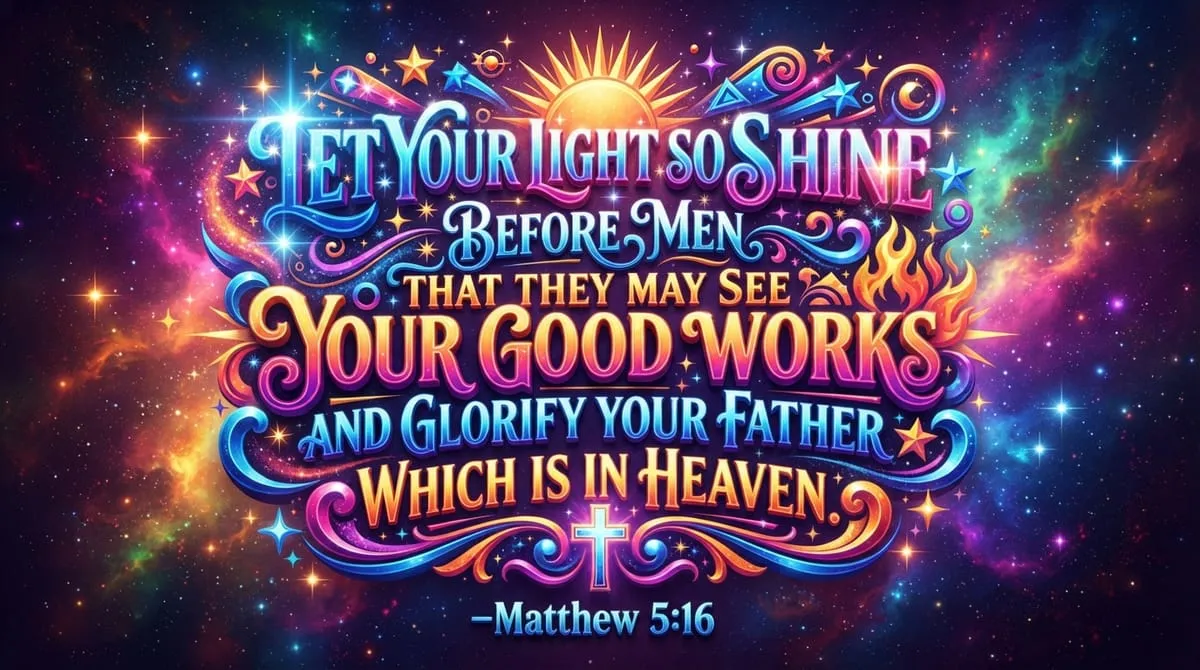
Verse graphics are where text errors hurt most. A misspelled word in a sermon title is annoying. A wrong word in scripture is a non-starter. This is a full KJV verse from our verse generator on Nano Banana 2 Lite. The reference, the verse text, and the layout came back clean on the first try, and it was fast to generate.
Reference images on the default model
Because Lite is the everyday model for paid users, reference images are no longer tied to premium models only. You can upload a photo of your church building, a pastor headshot, a ministry team photo, or your logo, then describe how it should show up in the design. You can also start from a curated reference when you want a specific look.
That opens branded series art and real-life campus graphics without jumping to Nano Banana Pro first. Log the asset in My Assets once, reuse it across the week, and keep Sunday looking like your church.
All styles work on Lite, including Pro styles
Styles only work when the model respects them. Stronger prompt adherence is what let us expand the default style library and ship 50 new style presets.
Every style in the catalog works on Nano Banana 2 Lite, including Pro styles. Pro styles are still designed for Pro-capable models like Nano Banana Pro and GPT Image 2. You will often get the richest results when you switch to those models for complex layouts or heavier creative work. Lite makes the full catalog usable in the weekly workflow without forcing a model change every time.
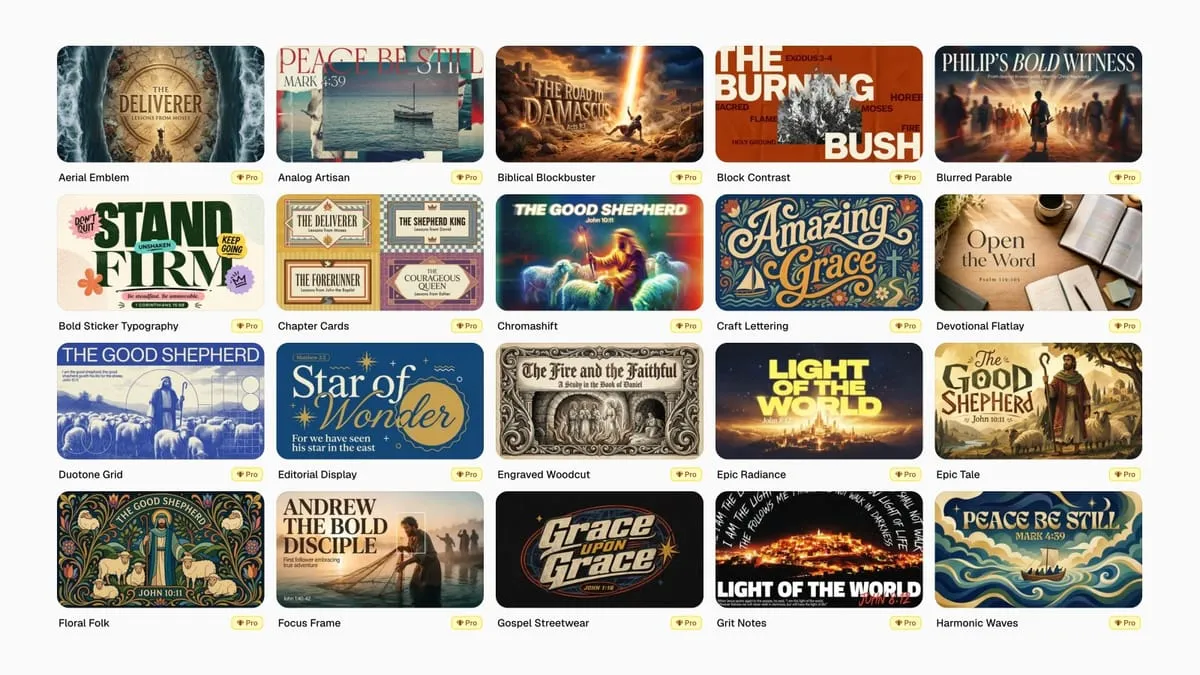
Want to browse before you generate? Filter and preview looks in the Style Browser, then click Use style to jump straight in.
Verse graphics and coloring pages too
Lite is not limited to the main generator. It is also the default for verse graphics and coloring pages in Tools, so scripture art and kids ministry resources get the same reliability upgrade as sermon and social graphics.
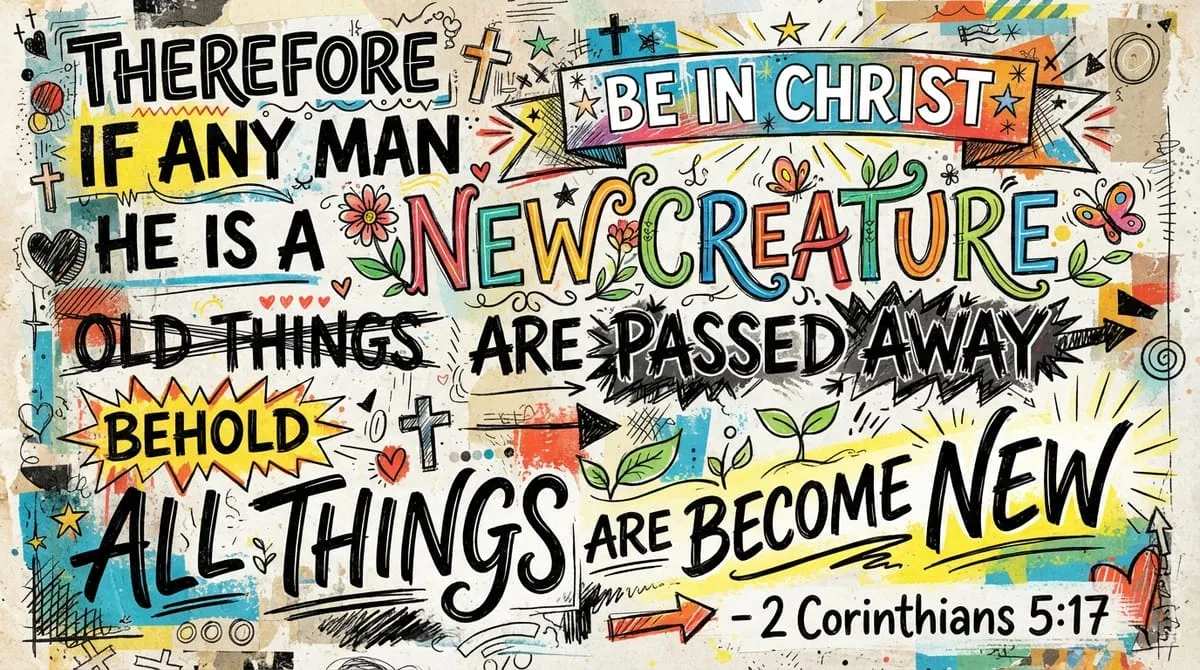
Same model, same Tools workflow your team already uses for scripture posts and story graphics. Less time fixing typos. More time posting.
Built around a workflow, not a single model
The beauty of Church Canvas is the workflow we have built around these models. Prompt, styles, reference images, edit tools, slides, and download all live in one place. That means when a better model ships, we can plug it in quickly and make Church Canvas better without asking your team to relearn the product.
Nano Banana 2 Lite is the latest example. GPT Image 2 and Krea 2 were recent ones too. More will follow. Your ministry stays in the same flow. The models underneath keep getting sharper.
🍌 What you get with Nano Banana 2 Lite
- Default for Basic and Plus on sermon, social, event, and announcement graphics
- Fewer text and layout errors so prompts stay closer to the brief
- Reference images for churches, pastors, logos, and campus photos
- All styles supported, including Pro styles (Pro models still excel on Pro styles)
- Default for verse and coloring page generators in Tools
- 1 credit per image
How it fits with Nano Banana Pro and other models
Nano Banana 2 Lite is the daily driver for paid plans. Nano Banana Pro stays the premium option for heavier work: longer copy, more complex layouts, and Pro style generations at their best. Pro costs 4 credits.
Need sharper baked-in typography? Reach for GPT Image 2. Want a different creative direction? Try Krea 2. Seedream and FLUX are still in the picker on Plus when those fits are better.
One workflow. Clearer defaults. More control when you need it.
Who sees what by plan
- Basic and Plus. Nano Banana 2 Lite is the default, with reference images and the expanded style library in your normal flow.
- Plus. Switch models anytime from the picker when you need Pro-level output.
- Free. Ideogram v3 for generation. Upgrade to Basic or Plus for Lite, reference images, and paid-plan limits. See pricing and plans.
How to try it
Log in on a Basic or Plus plan, leave the model on 🍌 Nano Banana 2 Lite, and run a real prompt from this week’s calendar. Add a reference image of your campus or logo if you have one. Try a default style and a Pro style to compare results on Lite versus Nano Banana Pro.
Want the full list of new looks? Start with 50 new style presets, then browse and filter them in the Style Browser.
One credit. Faster turns. A better default for ministry teams who need Sunday-ready graphics this week.
Nano Banana 2 Lite FAQ
What is Nano Banana 2 Lite?
Nano Banana 2 Lite is the default AI model for Basic and Plus users in Church Canvas. It is fast, follows prompts more closely, costs 1 credit per generation, and supports source and reference images so you can include your church, pastor, or logo in the design.
Does Nano Banana 2 Lite fix text and layout errors?
Yes. Text hallucinations were our biggest support theme and a common NPS pain point. The old default often misspelled words, invented lines, or produced layouts you could not use. Lite follows instructions more closely, so you spend less time regenerating and we spend less time issuing make-good credits.
Can I use reference images for my church or logo?
Yes. Lite brings reference images into the everyday paid workflow. Upload a building shot, sanctuary photo, staff image, or logo, or pick a curated reference, and describe how it should appear in the graphic.
Do Pro styles work on Nano Banana 2 Lite?
Yes. All styles in the catalog work on Lite, including Pro styles. Pro styles are tuned for Pro-capable models like Nano Banana Pro and GPT Image 2, so you may get richer results when you switch to those models for heavier creative work.
Who gets Nano Banana 2 Lite as the default?
Basic and Plus users land on Nano Banana 2 Lite when they open the generator, including verse graphics and coloring pages in Tools. Free accounts stay on Ideogram v3. Plus users can still switch to Nano Banana Pro, GPT Image 2, Krea 2, and other models from the picker.